 EN − TL

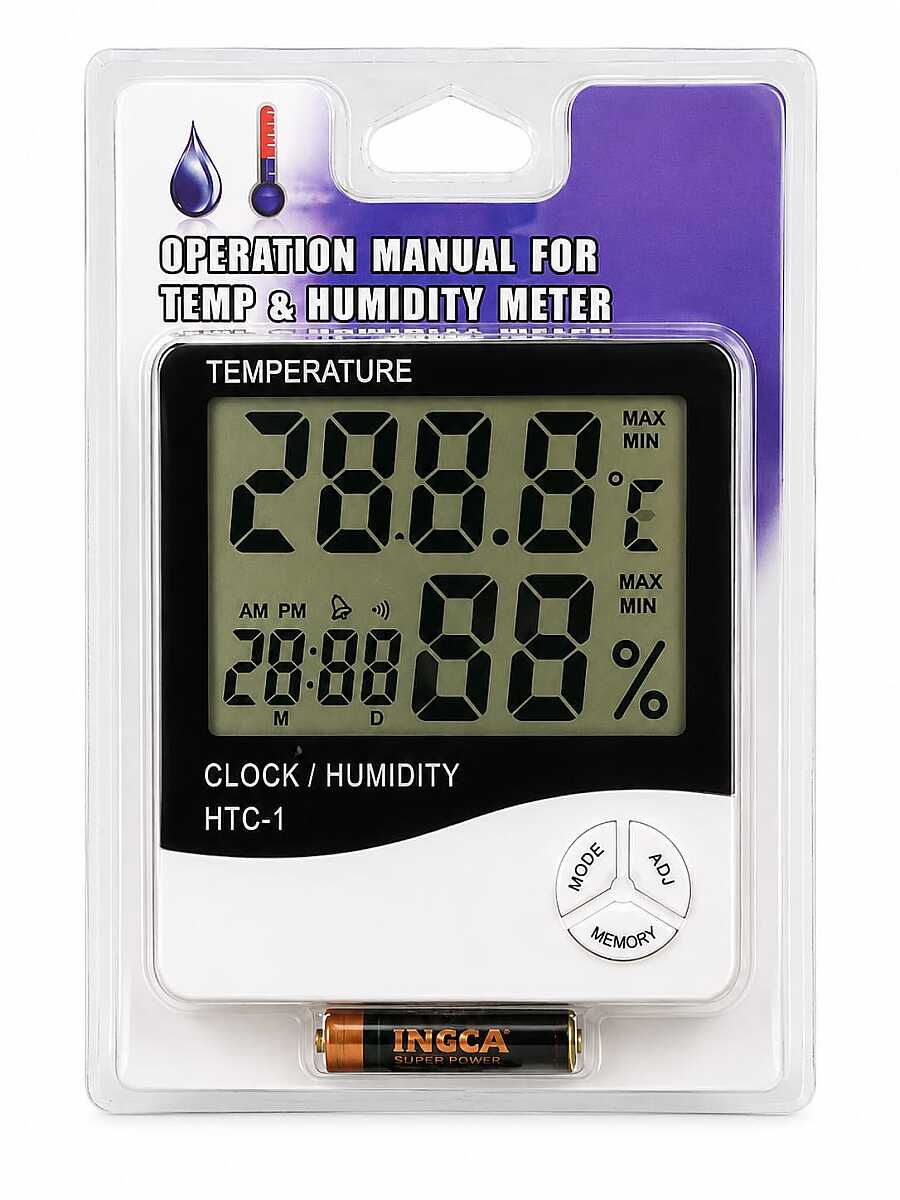
Digital Thermometer Temperature & Humidity Meter – LCD Desk Clock with Alarm & Calendar Hygrometer
## 📝 Product Description The Digital Thermometer Temperature & Humidity Meter is a multifunctional device that allows you to monitor indoor temperature and humidity while also displaying the time, date, and alarm. Its large LCD display clearly shows temperature, humidity, time, and calendar simultaneously. With low power consumption, high stability, and accurate measurements, it is ideal for homes, offices, baby rooms, kitchens, greenhouses, and workspaces. The built-in MAX/MIN memory records the highest and lowest temperature and humidity readings, while the desktop stand allows convenient placement anywhere. ## 📌 Product Features - Digital temperature measurement - Indoor humidity measurement (Hygrometer) - Clock, alarm, and calendar functions - Displays temperature, humidity, and time simultaneously - 12/24-hour format - °C / °F selectable - MAX/MIN temperature and humidity memory - Low power consumption - High accuracy and stability - Desktop stand - Compact and lightweight design ### Technical Specifications - Temperature Range: -50°C to +70°C (-58°F to +158°F) - Humidity Range: 20%RH – 99%RH - Temperature Resolution: 0.1°C (0.1°F) - Humidity Resolution: 1%RH - Temperature Accuracy: ±1°C (±1.8°F) - Humidity Accuracy: ±5%RH (40%–80%RH) ## 📌 Button Functions MODE - Switches between Clock and Alarm modes. - Used to set time, alarm, date, and 12/24-hour format. ADJ - Adjusts selected values. °C/°F - Switches between Celsius and Fahrenheit. MEMORY - Displays recorded MAX/MIN temperature and humidity values. - Hold for 2 seconds to clear memory. RESET - Restores factory settings and clears all stored data. ## 📌 Applications - Home - Office - Baby room - Children's room - Bedroom - Kitchen - Greenhouse - Warehouse - Study room - Indoor temperature and humidity monitoring ## 📌 How to Use ### Time Setting 1. Insert the battery. 2. Hold MODE for 2 seconds. 3. Adjust minutes with ADJ. 4. Press MODE to set Hour → 12/24-hour format → Day → Month. ### Alarm Setting 1. Press MODE to enter Alarm mode. 2. Use ADJ to turn Alarm or Hourly Chime ON/OFF. 3. Hold MODE to set alarm time. ### MAX/MIN Memory - Press MEMORY to view maximum and minimum values. - Hold MEMORY for 2 seconds to clear stored values. ### Date Display - Press MODE briefly to display the date. - The device automatically returns to Clock mode after about 3 seconds. ## ⚠️ Warning - For indoor use only. - Do not expose to water. - Keep away from direct sunlight and heat sources. - Clean with a soft dry cloth. - Keep out of reach of children.


Out Of Stock
Notify me when its in stock


-
Features
## 📝 Product Description The Digital Thermometer Temperature & Humidity Meter is a multifunctional device that allows you to monitor indoor temperature and humidity while also displaying the time, date, and alarm. Its large LCD display clearly shows temperature, humidity, time, and calendar simultaneously. With low power consumption, high stability, and accurate measurements, it is ideal for homes, offices, baby rooms, kitchens, greenhouses, and workspaces. The built-in MAX/MIN memory records the highest and lowest temperature and humidity readings, while the desktop stand allows convenient placement anywhere. ## 📌 Product Features - Digital temperature measurement - Indoor humidity measurement (Hygrometer) - Clock, alarm, and calendar functions - Displays temperature, humidity, and time simultaneously - 12/24-hour format - °C / °F selectable - MAX/MIN temperature and humidity memory - Low power consumption - High accuracy and stability - Desktop stand - Compact and lightweight design ### Technical Specifications - Temperature Range: -50°C to +70°C (-58°F to +158°F) - Humidity Range: 20%RH – 99%RH - Temperature Resolution: 0.1°C (0.1°F) - Humidity Resolution: 1%RH - Temperature Accuracy: ±1°C (±1.8°F) - Humidity Accuracy: ±5%RH (40%–80%RH) ## 📌 Button Functions MODE - Switches between Clock and Alarm modes. - Used to set time, alarm, date, and 12/24-hour format. ADJ - Adjusts selected values. °C/°F - Switches between Celsius and Fahrenheit. MEMORY - Displays recorded MAX/MIN temperature and humidity values. - Hold for 2 seconds to clear memory. RESET - Restores factory settings and clears all stored data. ## 📌 Applications - Home - Office - Baby room - Children's room - Bedroom - Kitchen - Greenhouse - Warehouse - Study room - Indoor temperature and humidity monitoring ## 📌 How to Use ### Time Setting 1. Insert the battery. 2. Hold MODE for 2 seconds. 3. Adjust minutes with ADJ. 4. Press MODE to set Hour → 12/24-hour format → Day → Month. ### Alarm Setting 1. Press MODE to enter Alarm mode. 2. Use ADJ to turn Alarm or Hourly Chime ON/OFF. 3. Hold MODE to set alarm time. ### MAX/MIN Memory - Press MEMORY to view maximum and minimum values. - Hold MEMORY for 2 seconds to clear stored values. ### Date Display - Press MODE briefly to display the date. - The device automatically returns to Clock mode after about 3 seconds. ## ⚠️ Warning - For indoor use only. - Do not expose to water. - Keep away from direct sunlight and heat sources. - Clean with a soft dry cloth. - Keep out of reach of children.
-
Nasıl Kullanılır
-
İçindekiler